
Want More Life In Your Pictures? Check Out Adobe Creative Cloud!
As I am doing a lot of edits to my pictures and photos taken on the daily basis, I am always looking for a quick and time-saving apps and tools that could contribute to my quality of work. Look what Best Buy has given us to try – Adobe Creative Cloud.
We all know that Adobe is big on enhancing our pictures and photographs and changing them in any way we like and want. What I am frequently looking for in my pictures is the crispiness and color intensity, and being able to do these changes quickly and without any complexities.
With Adobe Creative Cloud, I can do these changes in a couple of strokes.
Here’s my photo of the recipe ingredients BEFORE any enhancement and adjustment to the picture.
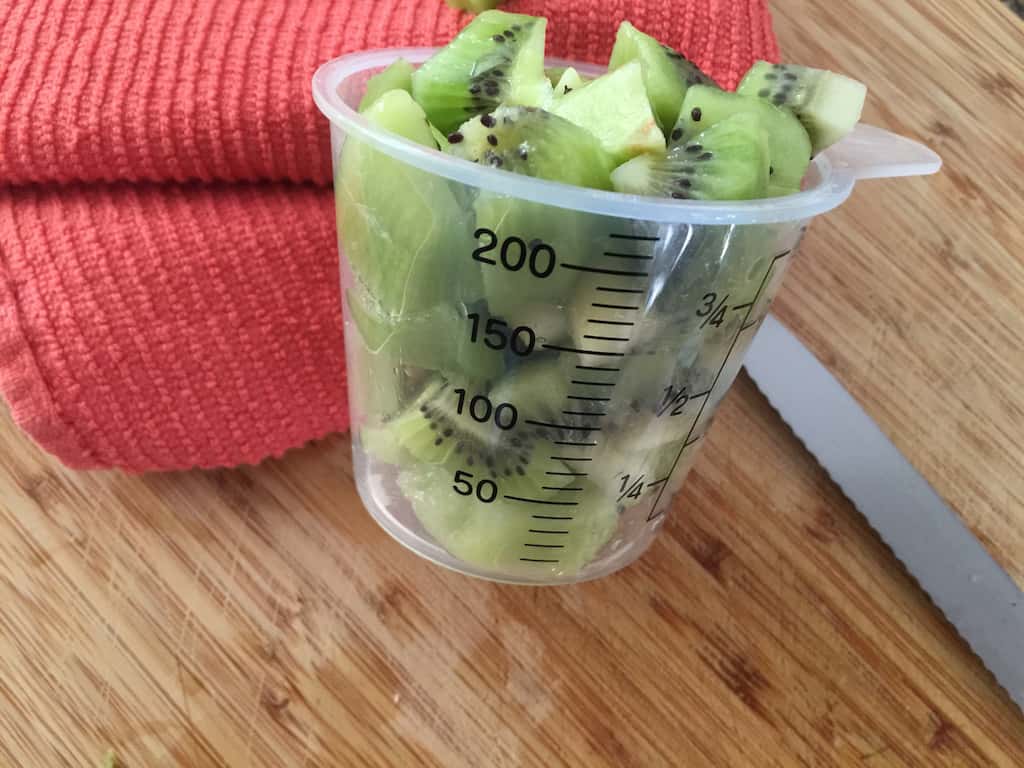
Here’s the photo AFTER all the changes I’ve implemented. Specifically, I’ve done the following:
• Increased the clarity
I wanted the kiwi seeds to really “pop” in the pictures, and that feature really added to that effect.
• Adjusted the contrast of objects in the image
Making pieces of fruit and towel in the background to contrast against each other brought more color into the scene.

There are some awesome functions in Adobe Creative Cloud that require no action on our behalf, just trial and error. They are called the Presets:
• General presents that have many options what a pictures will look like
• Creative presets allows us to make our photo shot more artsy
• Black & White presents would turn our image into different shades of greys, and
• Color presets will transform a photo into many looks with brights and colors and warm or cold look – you’re the one who will choose it!
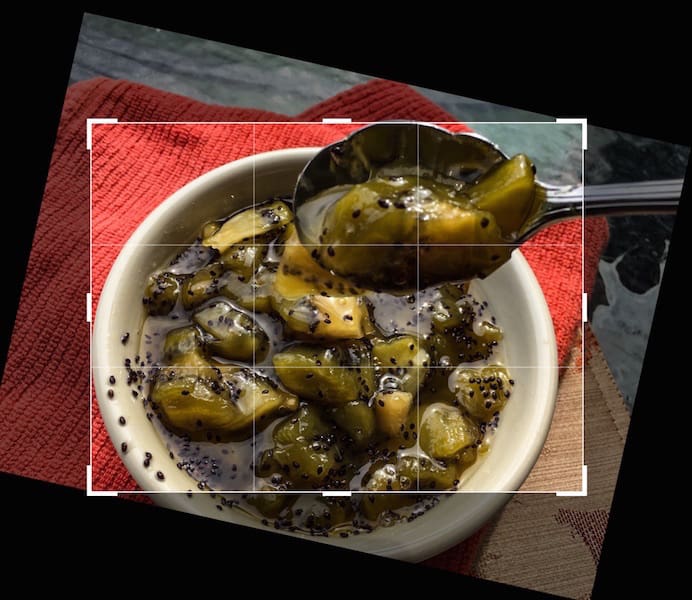
Here’s what I did in a few strokes with another image. Here’s the BEFORE picture.

Here’s the AFTER example with quick manipulations done with the image.
My goal was to increase the size of the bowl with jam and flip the orientation of the image. I also did some touch-ups to enhance the clarity of jam scooped with the spoon. All of that does not require any training or sweat. Doable and completed within a couple of minutes. When it comes to time it takes to implement the desired changes, this is an awesome tool indeed.

We can do so much with Adobe Creative Cloud! The learning curve is there when you want to implement more difficult changes like planting image within an existing image, erasing objects in the image or any other imaginable task. All can be done.
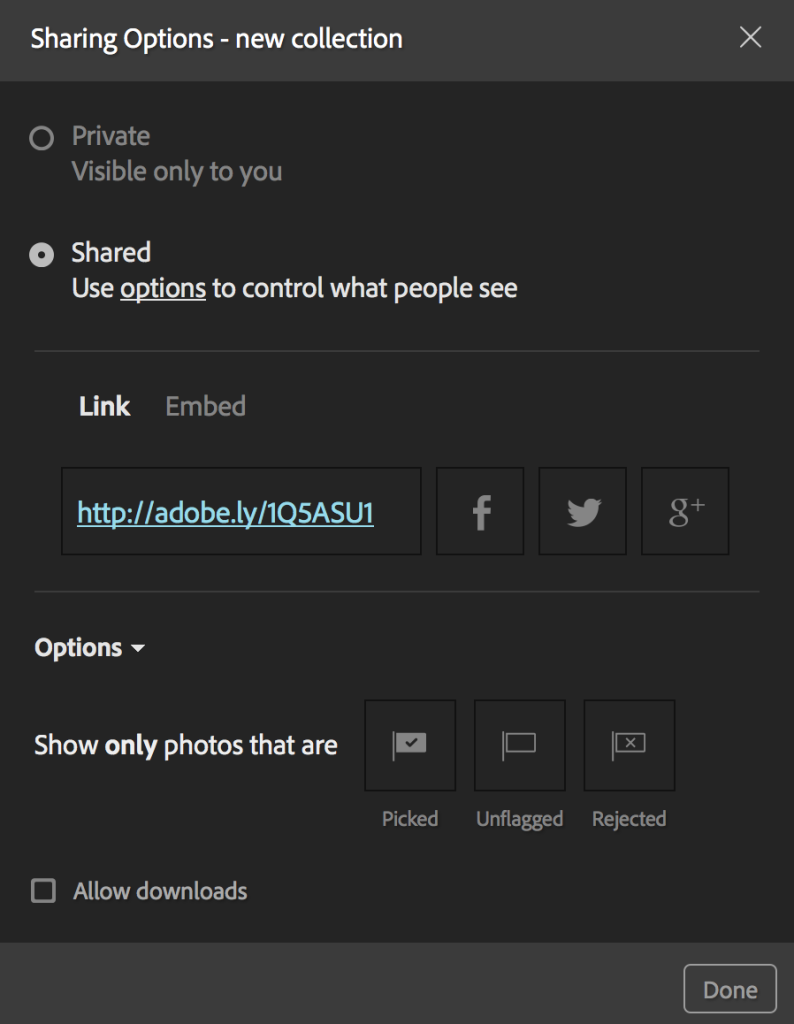
And for those of us who love to share pictures – it can be done from the work panel as well! Share it to Twitter, Facebook, Google+. The images that are shared can be chosen by you as you organize them into collections and made-by-you selections.
If you are looking for tools that can do simple or more complex things with your photographs, Adobe Creative Cloud is one of them. I know that those people who have been using Adobe Photoshop for years, this is something to migrate to! Much easier to handle and share with your interest groups!
As the Adobe team says, “Take your best shot and make it even better with the Creative Cloud Photography plan.”




Amazing how something so simple can make such a big difference. I used to have PS, might need to look into getting it again.
I find it easier to tell my life through pictures instead of words. so this would be great!
The difference w/the colors is nice. I’d love to try it.
That’s an amazing software for pictures! Would make my blog pictures look so amazing!
I’m a huge fan of Adobe products; they really expand your ability to create high-quality photo, images and graphics. I would love to be able to give this a try.
Oh lala! I don’t have it but will definitely going to get it! The edited photos looks more vibrant and it adds more life indeed!
This is great photo editing software. I really need to look into this more. Thanks for sharing.
I spend a ton of time editing, optimizing and watermarking photos, it’s always fun to try out all the tools out there and find the editor that works best for you.
I need to get this asap. I miss the functions adobe offers. I used to have photoshop an older version and I would love to get this. I’m sick of the free limited things!
I really love the Creative Cloud! It makes editing so much easier!
I edit photos a lot. That said, I’m definitely going to check this editing software. The photos look amazing.
I keep hearing about how great Adobe Creative Cloud is. I really need to find time to check it out and see what I’m missing!
I have one installed in my PC but I don’t really use it. It makes a really big difference!
I could use all of the help that I could get with my photography. I would love to try this out to improve my photos.
I have not used this personally but the clarity int he photos is amazing. It definitely something worth checking into.
Wow! Abode Cloud really made your photos pop! I’m always looking for a way to improve my photography, I’ll have to look into Abode Cloud.
I have been using Adobe for years and still have CS5 installed. I tried the Cloud for a while, but it just seemed silly for me to pay the monthly fee right now since my Lightroom and Photoshop worked just fine.
I keep hearing so many great things about this. I think it’s time I give it a try!
The Adobe Creative Cloud sounds like an awesome software. I will check this out.
Never heard of creative cloud before. You can really see the difference of colors in the first before and after. The 2nd REALLY pops with color.
That sounds like a great software program. My photos need all the help they can get!
Wow I’d love to up the quality of my images like that. I really need to look into this program!
We use this all the time! My hubby is much better at it than I am, but it does make pictures look SO much better! I like the examples you added here. It helps people understand what the end result looks like.
I will have to check this out! I am always looking for ways to improve my images and make them more posh looking
Have it. Love it. Don’t know what i would do without it. Highly recommend the adobe creative cloud to all bloggers, photographers, or anyone who wants to post better photos on social media.
I have the Creative Cloud, and I love it. I’ve been using Adobe for years. My photos would not be anywhere near what they are without that suite.